eStorePOS First Look: A Free WooCommerce Point-of-Sale Plugin Worth Testing Today
By Day Zero Guides Editorial · How we produce guides
Some links in this guide are affiliate links. If you sign up through them, Day Zero Guides may earn a commission at no extra cost to you. This never affects which products we cover or what we say about them. See our affiliate disclosure for details.
What eStorePOS Actually Is
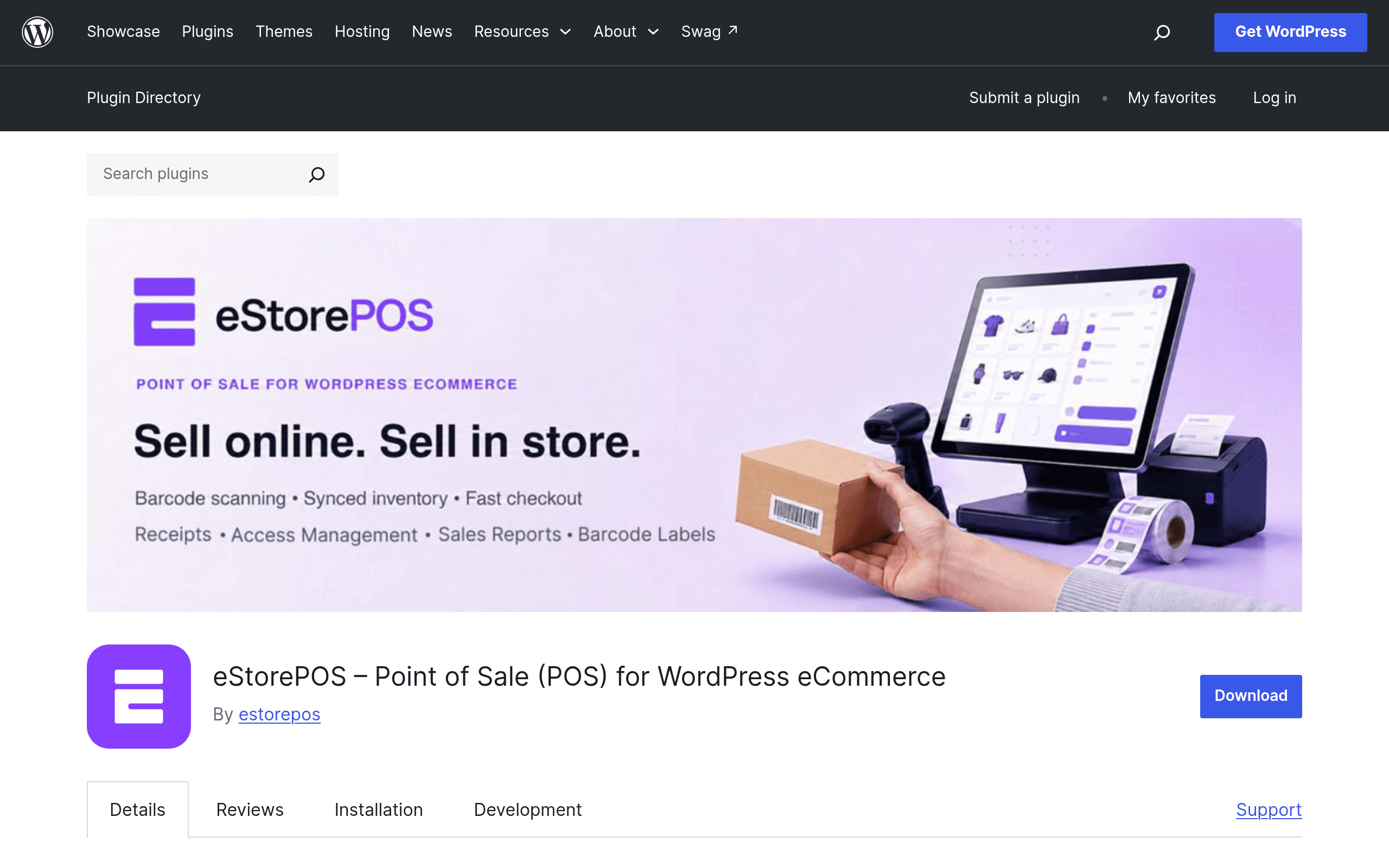
eStorePOS is a WordPress plugin, distributed through the official WordPress.org plugin repository, that turns a WooCommerce or FluentCart store into a physical retail checkout system. Install it on a site that already runs WooCommerce (or the newer FluentCart checkout platform from the WPManageNinja team), and it adds a counter-facing POS screen where a staff member can search products, scan barcodes, apply discounts, accept payment, and print or email a receipt — all while the sale writes back to the same order and inventory tables your online store already uses.
That last part is the actual point of the plugin. A lot of small retailers run a website for online orders and a completely separate system (a tablet app, a standalone register, or a spreadsheet) for in-person sales at a shop counter, market stall, or pop-up. That split means two inventory counts to reconcile and two customer databases. eStorePOS is built specifically to close that gap for stores that are already WooCommerce- or FluentCart-based: one product catalog, one stock count, one customer list, whether the sale happened on the website or at the till.
It's a plugin, not a hosted service — it runs on your own WordPress install, which also means there's no separate POS subscription server to worry about going down independently of your site.
Pricing: What's Actually Published Right Now
As of this writing, eStorePOS ships as a freemium WordPress.org plugin, and the pricing page for the paid tier is not yet public in a standard "pricing table" format — there's no listed monthly or annual figure on the plugin's WordPress.org page. Here's what's confirmed:
- Free version (WordPress.org listing): $0, unlimited installs under WordPress's standard GPL terms. Includes the core POS checkout screen, product search/barcode lookup, order sync with WooCommerce/FluentCart, and basic receipt output.
- Pro tier: Positioned as an upgrade for multi-register setups, staff accounts with role-based access, and advanced sales reporting (by register, by staff member, by time period). No public price list was available at launch; pricing is surfaced inside the plugin's upgrade prompts rather than a marketing site, which is common for early-stage WordPress.org plugins before they build out a dedicated site.
Practical takeaway: if you're comparing this against Square or Toast's published plans, you can't yet do an apples-to-apples annual cost comparison for the Pro tier. Budget for "free to start," and treat any Pro cost as something to confirm at checkout before you commit a multi-register retail operation to it.
Who This Is Actually For
eStorePOS makes the most sense for a fairly specific shape of business:
- A single-location retail shop that already runs WooCommerce — a bookstore, boutique, or gift shop that sells online and wants the same product catalog available at the front counter without keeping two inventories in sync manually.
- Market and pop-up vendors who sell the same catalog online and at weekend markets or craft fairs, and want stock sold at the market to immediately reflect on the website so they don't oversell.
- FluentCart-based creators or small sellers moving into occasional in-person sales (workshops, live events, meetups) who don't want to adopt a completely separate POS ecosystem just for a few in-person transaction days a year.
- Agencies and freelancers building WooCommerce sites for retail clients who need a lightweight, no-monthly-fee-guaranteed POS option to propose before recommending a heavier, hardware-locked system.
It's a weaker fit for: multi-location retail chains needing centralized reporting today (Pro's multi-register features are new and unproven), restaurants needing kitchen display/table management (not what this is built for), and anyone who wants payment processing bundled in — eStorePOS handles the checkout workflow, but you still need a WooCommerce-compatible payment gateway and card reader hardware behind it.
How It Compares
| eStorePOS | Square for WooCommerce | Toast POS | |
|---|---|---|---|
| Price | Free plugin; Pro price unpublished, surfaced in-app | Free plugin; Square processing fees ~2.6% + 10¢ per in-person tap/dip/swipe | Plans from ~$0/mo (with required processing) up to $165+/mo per terminal; hardware bundles $800+ |
| Where it runs | Self-hosted inside your existing WooCommerce/FluentCart WordPress site | Self-hosted WooCommerce plugin, but payments route through Square's processor | Standalone hosted POS system, doesn't integrate with WordPress/WooCommerce at all |
| Inventory sync | Native, same database as your WooCommerce/FluentCart store | Syncs WooCommerce inventory with Square's separate inventory system (two-way, but two systems) | Own closed inventory system, no WooCommerce connection |
| Staff/multi-register (Pro) | Role-based staff accounts, multi-register — Pro tier, pricing tbd | Available via Square Team Plus add-on, separate pricing | Built-in on paid tiers, priced per terminal |
| Best for | Small WooCommerce/FluentCart retailers wanting one catalog across web + counter | Retailers who want Square's card readers/hardware and don't mind a second inventory system | Restaurants and food service needing table/kitchen management, not WordPress-based |
The honest distinction: Square for WooCommerce is more mature and battle-tested but keeps payments and inventory in Square's own ecosystem alongside WooCommerce's. Toast isn't really a competitor for a WordPress store at all — it's built for restaurants and has no WooCommerce link. eStorePOS's actual competitive claim is narrower and more useful for its target user: it doesn't ask you to adopt a second inventory system, because it never leaves WooCommerce's database in the first place.
Verdict: Should You Try It Today
If you already run WooCommerce or FluentCart and sell in person even occasionally — a shop counter, a market table, a workshop — installing the free version of eStorePOS costs nothing but setup time, and the core pitch (one inventory, one order history, no second system to reconcile) is legitimately useful and not something Square for WooCommerce fully delivers since Square keeps its own inventory layer. Install it on a staging site first, test the checkout flow with your actual product catalog and a barcode scanner if you use one, and confirm receipt printing works with your hardware before trusting it on a live sales floor.
Hold off on committing to Pro for a multi-register or multi-staff retail operation until the pricing is public and you can confirm what you're paying annually — that's the one real gap right now. For a single till, single location, WooCommerce-based small retailer, eStorePOS is worth a real test today; for anything more complex than that, wait for the Pro pricing and a few more months of real-world reviews on the multi-register features before switching a whole shop counter onto it.
Related guides
- iLang Readable Slugs: A WordPress Plugin That Finally Fixes Percent-Encoded URLs for Non-Latin Content
- AcceGuru First Look: A WordPress-Native Accessibility Scanner That Tries to Fix What It Finds
- Auditwright WCAG Accessibility Scanner: First Look at the New WordPress Plugin That Scans Rendered Pages, Not Raw HTML